

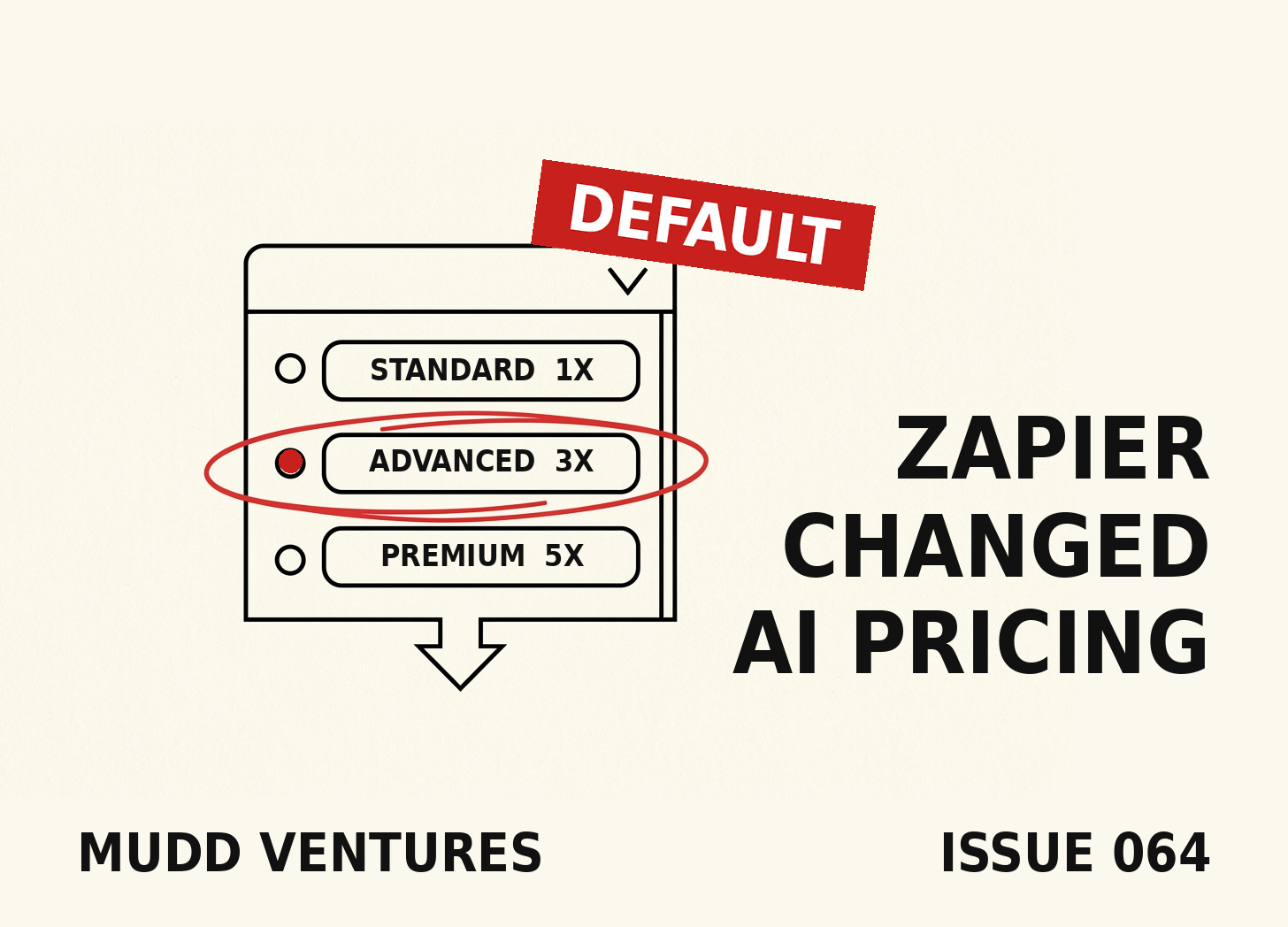
TL;DR: Zapier moved AI steps to model-tier pricing on June 15, and the doc got a fresh update on July 15. Standard models bill 1x tasks, Advanced bills 3x, Premium bills 5x, and every tool call inside the step multiplies at the same rate, so one AI step can burn 15 tasks in a single run. The detail most people will miss: every new AI step defaults to the 3x tier. Below is the billing formula with worked math, a 15-minute audit for every Zap you run, and the two lanes that bring a step back down to 1x.
I read Zapier's updated AI pricing doc this week, the one they refreshed on July 15, and the thing that stopped me sits in a dropdown. When you add an AI step to a Zap, the model tier ships preset to Advanced, which bills three tasks per run before you've typed a single word of your prompt. Standard is right there in the same menu at one task. Nobody's hiding it, the tiers are printed in the selector, and the markup still collects from everyone who never opens the menu, which is most people, because defaults are where software makes its quiet money.
By the end of this you'll know what every AI step in your Zaps costs per run, and which steps can move to a 1x lane without losing anything.
The dropdown doing the billing: every new AI step ships set to the 3x tier, and that setting rides along until somebody opens the menu.
The formula worth memorizing: one run costs (1 x model rate) + (tool calls x model rate), which is how a single step reaches 15 tasks.
The two 1x lanes: simple judgment jobs run at 1x on Standard, and your own API key runs tool-heavy steps at 1x too.
Where the meter can't reach: filters, paths, and formatter steps bill zero tasks, so rule-based work costs nothing once you move it out of the AI step.
I ran the numbers on what that dropdown costs at volume, and this issue is that math. It's the same invoice logic I walked through on the Canva retainer test: the vendor publishes the honest price sheet, and the gap between what you pay and what the job requires lives in a setting nobody audits. I'm calling this one The 3x Default, the pattern where a platform sets its pricier tier as the preselected option on every new AI step, and the difference quietly compounds across every run of every Zap you've got.
Who this is for: operators running Zapier on a Professional or Team plan with at least one AI step in production, and anyone whose task bill has been creeping without an obvious reason.
How the new meter works
Zapier switched AI steps to model-tier pricing on June 15, and the full pricing doc lays out the tiers. Standard models like GPT-5 mini and Gemini 2.5 Flash bill at 1x and can't call tools. Advanced models like Claude 4.5 Haiku and Gemini 2.5 Pro bill at 3x and can. Premium models like GPT-5.4 and Claude 4.8 Opus bill at 5x. Bringing your own API key bills at 1x no matter what it's doing, and that lane is going to matter in a minute.
The formula is the part worth writing on a sticky note:
Tasks per run = (1 x model rate) + (tool calls x model rate)

Standard, no tools:        (1 x 1) + (0 x 1) = 1 task
Advanced (the default):    (1 x 3) + (0 x 3) = 3 tasks
Advanced, 1 tool call:     (1 x 3) + (1 x 3) = 6 tasks
Premium, 2 tool calls:     (1 x 5) + (2 x 5) = 15 tasks
Your own key, 4 tool calls: (1 x 1) + (4 x 1) = 5 tasks
Those aren't my estimates, they're Zapier's own worked examples from the pricing doc. A tool call is any time the step successfully reaches into an app or a knowledge source during a run, so an AI step that checks your CRM and then writes to a sheet is carrying two multiplied calls on top of its base rate.
What the right read looks like: you can name the per-run cost of every AI step you have. The failure mode is assuming an AI step still costs one task the way it did before June 15, because a Zap that was cheap in May can be billing at triple or better in July with zero changes on your end, and legacy steps built before June 15 run under their own rules now too, including a June 30 pause on older Standard-model steps that used knowledge sources.
Walk away with: the formula and your own per-run number for each AI step, written down.
The 15-minute audit
The task meter is where this gets real. On Zapier's Professional annual plan, $19.99 a month covers 750 tasks, and eesel's breakdown of the billing pages puts 10,000 tasks a month at roughly $300, with overages billing at 1.25x your base rate once you blow through the cap. An operator on r/aiagents posted his own invoice math in February: $847 for one month, an 8-step lead-capture flow, 100 leads a day, 24,000 tasks a month, and his conclusion is the part I'd frame: "The worst part is you start optimizing for Zapier's pricing instead of what's best for your business. I caught myself removing steps from workflows just to save on task counts."
That was before model multipliers existed. Under the new meter, the same reflex points somewhere better: stop deleting steps and start checking tiers. Here's the audit, and it runs in about 15 minutes for a normal-sized account:
THE 3X DEFAULT AUDIT

1. Open each Zap that contains an AI by Zapier step.
2. For each AI step, write down three things:
   - Model tier (open the dropdown: Standard / Advanced / Premium / own key)
   - Number of tools attached to the step
   - Roughly how many times the Zap runs per month (Zap history shows this)
3. Compute per-run cost: (1 x rate) + (tool calls x rate)
4. Multiply by monthly runs. That's the step's monthly task burn.
5. Rank your AI steps by burn, highest first.
6. For the top of the list, ask one question:
   does this step use tools, and does it require deep reasoning?
   - No tools + simple job (summarize, classify, extract) -> test Standard at 1x
   - Tools attached -> test your own API key at 1x
   - No judgment in the job at all -> move it out of AI entirely (free steps below)
A worked example, because the abstraction hides the money. A lead-summary step on the untouched default tier with two tool calls costs nine tasks a run, and at 30 leads a day that's about 8,100 tasks a month from one step, which is most of the way to that $300 pricing band on its own. The identical step running through your own API key costs three tasks a run, about 2,700 a month. If the job doesn't use tools at all, Standard runs it at one task, roughly 900 a month. Same Zap, same output, three very different invoices.
What the right output looks like: a ranked list where the top two or three steps explain most of your AI task burn, because that concentration is what makes the fix fast. The failure mode is auditing one Zap and calling it done, when the whole reason this compounds is that the default rides along on every AI step you or your team has added since June 15, including the duplicated ones sitting across client accounts.
Walk away with: a ranked list of your AI steps by monthly task burn, and a downgrade candidate circled.
Moving a step down without breaking it
Downgrading a tier is a thirty-second edit, and the tier menu lives right on the step, so the real work is proving the cheaper tier holds quality. Zapier's own Steph Spector put the target well in the company's cost guide: "your goal is to value-maxx, not token-maxx," and the same post notes "you pick the tier that matches the job, and you can swap models anytime without rebuilding anything." Run the proof before you commit:
TIER PARITY TEST

Take the last 5 real inputs this AI step processed (pull from Zap history).
Run them through the step twice: once on the current tier, once on the cheaper one.
Compare outputs side by side and ask:
- Did the cheaper tier follow the format instructions?
- Did it catch the same key facts?
- Would the downstream step (CRM write, Slack ping, sheet row)
  behave identically with this output?
5 for 5 -> downgrade and note the date, then spot-check in a week.
3 or 4 of 5 -> tighten the prompt and rerun before deciding.
Under 3 -> the step earns its tier, leave it and move down your list.
Three lanes, in order of how often they pay off. First, the judgment jobs that touch no tools, the summarize-classify-extract work that makes up most AI steps I come across in real accounts, and those run on Standard at 1x more often than people expect. Second, the tool-heavy steps, where connecting your own OpenAI or Anthropic key drops the multiplier to 1x, and yes the token bill lands on your API account instead, but for a step making a handful of calls per run the math usually lands well under the 3x and 5x task rates. Third, the jobs with no judgment in them at all, the routing and reformatting and if-then work, and those belong outside AI steps completely, because Zapier's filters, paths, and formatter steps bill zero tasks, which means every rule you move out of a prompt and into a path is billing that drops to nothing.
What the right result looks like: same outputs downstream, smaller number on the meter, and a one-line note in your ops doc saying which steps run on which tier and why. The failure mode is dropping a tool-connected step to Standard, because Standard can't call tools at all, so the step doesn't get cheaper, it stops doing part of its job, and that's a break you might not notice until the CRM rows stop appearing.
Walk away with: at least one step moved to a 1x lane with a parity test behind it, and the rule-based work headed out of AI steps entirely.
What's still true on Zapier's side
The default isn't a scam, and the tradeoffs deserve daylight. Advanced is the default because tools require Advanced or better, and Zapier presumably decided a new step that can use tools out of the box beats a new step that errors when you attach one. There's also a real protection built in: if a single run hits 75 tasks, the Zap pauses and asks for approval before it keeps spending, which is more of a circuit breaker than most AI billing systems give you.
The bring-your-own-key lane carries its own homework, since you're now managing API keys and watching a second bill, and the insulation cuts both ways: on Zapier's included models your cost per run stays fixed no matter what token prices do, which is worth something. Sara McNamara, a Zapier partner, has made the case that the per-task model is genuinely predictable once you understand it, and that for teams with compliance needs and SLAs, predictability can matter more than raw cost per action. She's right about the predictability, and the audit above is how you make the predictable number a smaller one.
Two more honest flags. My dollar figures are directional, because your per-task price depends on where your plan sits on Zapier's task slider, so run the math against your own bill, and note that Zapier's claim of roughly $1,300 in tokens for a thousand form submissions run through a chat assistant is Zapier's own benchmark measurement, not an independent audit. And the whole AI-step system sits on Professional plans and up, with tool calls not yet available on Enterprise accounts at all, which is a strange gap for the most expensive tier.
Failure modes
The audit dies in four predictable places. Checking tiers on three Zaps and skipping the client sub-accounts where the duplicated flows live. Downgrading a tool-connected step to Standard and breaking it silently, covered above, run the parity test. Treating the own-key lane as free when it moves cost to your API bill instead of erasing it, so compare both invoices after a week. And doing the audit once, in July, when the default reapplies itself to every AI step anyone on your team adds from here forward, so put a monthly fifteen-minute recheck on the calendar next to your task-usage email.
Recap
Zapier's AI steps now bill by model tier, 1x, 3x, or 5x, tool calls multiply at the same rate, and the default on every new step is 3x. The formula is (1 x rate) + (tool calls x rate). The audit is: list your AI steps, log tier and tools and monthly runs, rank by burn, then move what you can to the 1x lanes, Standard for simple no-tool jobs, your own key for tool-heavy ones, and free deterministic steps for anything with no judgment in it. Test parity on five real inputs before committing, and recheck monthly because The 3x Default resets with every new step.
This kind of audit is a slice of what I look at when an operator wants their whole AI spend mapped against what the work requires, and if you want a second set of eyes across the full stack rather than one tool, that's a fit for an AI Clarity Call at muddventures.com/book.
Reply with your monthly task number if you know it off the top of your head, most people don't, and that's sort of the point.
Andrew
P.S. More from the archive on the same money trail: the 30-minute Canva test for your ad creative retainer, the 4 questions to run before an agent gets access to your systems, the calendar workflow with the one job AI never runs alone, and the full newsletter archive at muddventures.substack.com.