

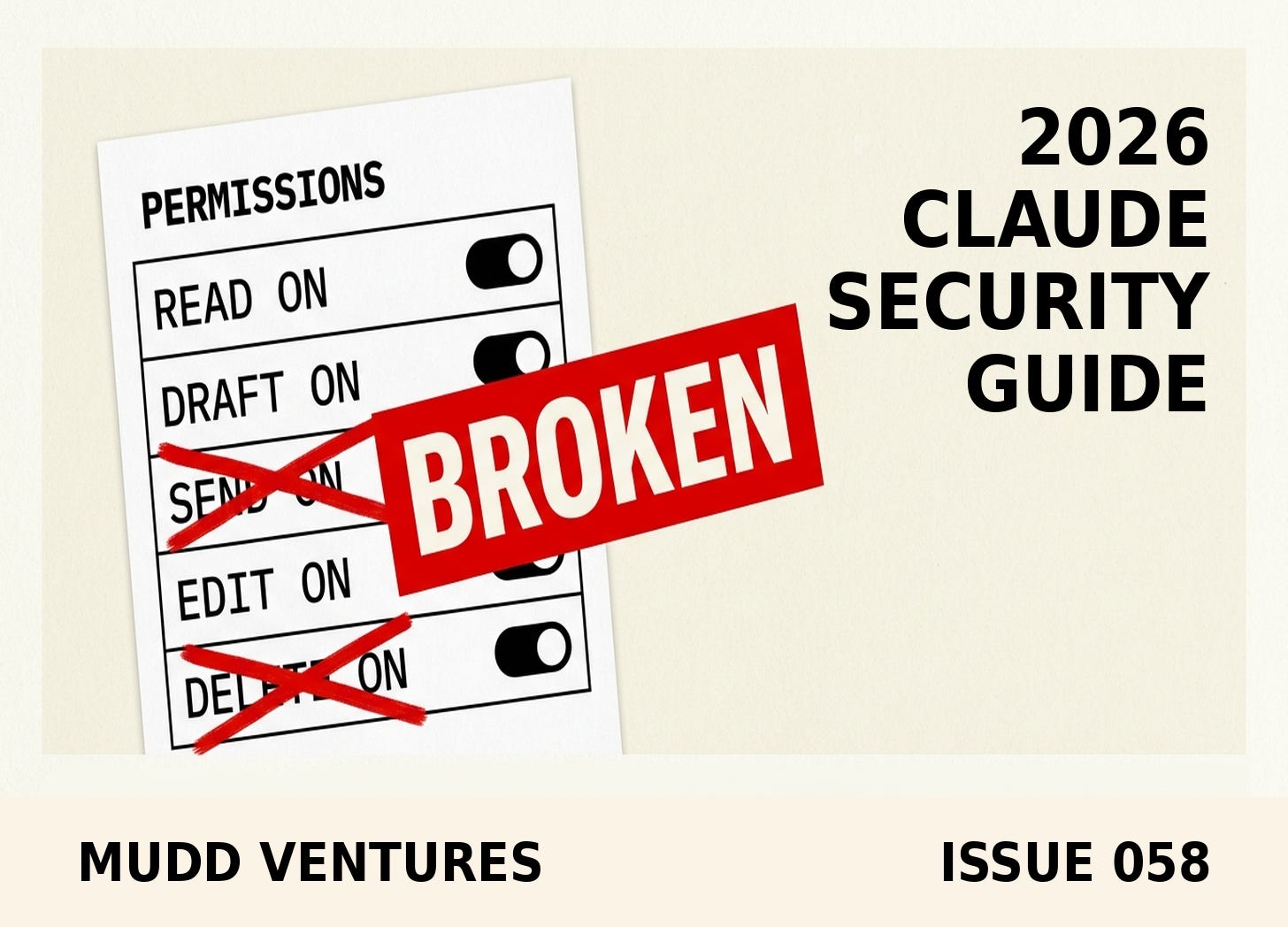
TLDR: On July 17, Anthropic’s Deputy CISO published the four questions his team answers before they let any agent touch anything, and the whole thing translates down to a one-person business without a security department. Run the four questions against the agent you already have connected, write the answers in a doc, then go remove one verb from its tool list. Twenty minutes, no new software, and it changes what happens on the day something goes sideways.
Anthropic put out a piece on July 17 that I did not expect to be useful to anybody running a five-person company, and then I read it twice. It’s called Zero risk isn’t the job: a CISO’s guide to agentic AI, written by Jason Clinton, their Deputy CISO, and most of it is aimed squarely at people who own a SIEM and an identity provider and a compliance calendar. Buried in the middle of it is a four-question checklist that costs nothing to run and doesn’t care how big you are.
I run this newsletter through a scheduled agent with connectors attached, so I ran the four questions against my own setup while I was reading, and the second question is where I slowed down, not because the answer was bad but because I had never written it down, and writing it down took four minutes, and at the end of those four minutes I could describe my own automation in a way I couldn’t have that morning.
That’s the whole play. The four questions don’t buy you software or a security team, what they buy you is the ability to say out loud what your agent is allowed to do, which turns out to be a thing most operators can’t do about the automations already running in their business.
By the end of this you’ll have written answers to four questions about one agent you already have running, plus one verb removed from its permissions.
Here’s what’s in this one:
The Borrowed Login is why “it’s just an assistant” stops being true. When you connect an agent to your CRM, it doesn’t get an agent account, it gets yours, and its reach is your reach.
Question two is the one that catches people. Read-only and read-write are different businesses, and most operators have never checked which one they authorized.
Blast radius is a five-minute thought experiment, not a security discipline. You describe the worst realistic outcome in one sentence and the answer either scares you or it doesn’t.
Removing a verb beats adding a rule. An agent will never attempt an action that isn’t in its tool list, which is a stronger control than any instruction you write in a prompt.
The honest gap: Anthropic’s four questions travel down to a small business, and their seven controls mostly don’t.
Who this is for: any operator who has connected an AI assistant to email, a CRM, a calendar, a file drive, or a payment tool, and who has not yet written down what that assistant is permitted to do inside those systems.
The Borrowed Login
Clinton lays out an identity spectrum with two clean ends: a service account that does one job with no human attached, or a person at a keyboard accountable for whatever they do with their own credentials, same as always.
The middle is where the trouble lives. In his words, the middle is “where an agent carries a person’s delegated identity into systems that person is not watching,” and then the line that made me stop: “Ambiguous accountability is how incidents become unexplainable.”
Almost every SMB agent setup I’ve seen lives in that middle. You click Connect on the Gmail integration, approve the OAuth screen, and from that second forward the agent operates as you, with your mailbox, your send rights, and your access to every thread you’ve ever been on, because that’s the only permission level most consumer-grade tools offer. Call it The Borrowed Login: the agent holds your identity rather than one of its own, so its blast radius and your blast radius are the same number.
Post-incident analysis compiled from CrowdStrike and Mandiant data found that 78% of agents involved in breaches had significantly broader permission scope than their function required, with the usual cause being that teams grant wide access during setup so the thing works, intending to tighten it later, and later never arrives. That’s not an enterprise failure mode, that’s every automation any of us has ever built on a Tuesday afternoon.
Clinton also names the timing problem, citing the Ponemon Institute’s 2026 insider risk report finding that organizations took an average of 67 days to contain an insider incident even after years of dedicated investment, then adding that at agent execution speeds, “67 days is the wrong unit of measurement entirely.” A small business doesn’t have 67 days of anything, it has one owner who eventually notices something looks off.
Walk away with: a name for the thing your connected agent is standing on, and the understanding that its reach equals your reach unless you narrowed it on purpose.
The four questions, translated
Here’s the framework verbatim from the piece, in Clinton’s order, with the small-business translation under each.
The specific move: open a doc, paste this in, and answer it about one agent that’s live in your business right now. Pick the one with the most access, not the one you’re proudest of.
AGENT AUDIT: [name of the agent/automation]
Date:
Systems it's connected to:

1. UNTRUSTED CONTENT
What does this agent read that someone outside my company
could have written or altered?
(inbound email, web pages, uploaded PDFs, form submissions,
review text, third-party docs)
Answer:
If the answer is "nothing," agent-specific risk is near zero.

2. ACTIONS + IDENTITY
What can it DO, not just read? List every verb.
(read, search, draft, send, create, edit, delete, pay, post,
change permissions, call external URLs)
Whose login is it acting under?
Answer:

3. BLAST RADIUS
If this agent went wrong in the worst realistic way, what's
the damage in one sentence? Who would find out, and how?
Answer:
Rate it: anomaly / annoyance / data exposure / real incident

4. OBSERVABILITY
Where do I go to see what it did? Can I tell its actions
apart from mine? How long before I'd notice something odd?
Answer:

DECISION: keep as-is / narrow it / turn it off
Verb I'm removing today:
What the correct output looks like: four short paragraphs and one verb crossed off, done in under twenty minutes. Clinton’s own blast-radius answer for his team’s incident-response agent runs a single sentence: “the worst outcome we could construct was some mildly sensitive log lines posted into an incident channel that was already locked down.” That’s the register you’re aiming for, one sentence you’d be comfortable reading out loud to a client.
The failure mode: you write “medium risk” or “we’d probably catch it” in the blast radius box. That’s not an answer, that’s a shrug wearing a suit. If you can’t name the specific worst thing, the honest output is that you don’t currently know what this agent can reach, and that’s a finding worth having, because it tells you question two was never answered properly either.
The other failure mode is answering question one too generously. Untrusted means anything an attacker could plausibly write or alter, so if your agent reads inbound email, your contact form, or review text, the answer to question one is never “nothing.”
Walk away with: a written, dated answer sheet for one live agent, in a doc you can hand to whoever asks.
Remove the verb, not the trust
This is the part I’d put on a wall. Clinton’s framing on tool permissions: “If the failure mode that keeps you up at night is ‘the production database gets deleted,’ remove the delete verb from the agent’s world entirely. It will never attempt an action that isn’t in its tool list.”
That’s a different category of control from anything you can write in a prompt. A prompt is an instruction the model interprets. A missing verb is a thing the model cannot do regardless of what it reads, what it decides, or what some hidden text in a PDF told it to do.
The specific move: go into the connector or integration settings for the agent you just audited, find the per-action permission list, and turn off the highest-consequence verb you don’t need this week. Most operators find they have send, delete, or edit switched on for a workflow that only ever needed draft and read.
If your tool doesn’t expose per-action controls, use the account layer instead. Create a second user in the CRM with restricted permissions and connect the agent through that one rather than through the owner login. It takes ten minutes and it un-borrows the login.
The exact input: if you want the agent to help you inventory this before you start clicking, paste this into whatever assistant is connected:
List every action you are currently able to take in each of my
connected tools. Group them as: READ, CREATE, EDIT, SEND/PUBLISH,
DELETE, PAY. For each one, tell me which of my workflows uses it.
Flag any action you have permission for but have never used.
Do not take any actions. Output the list only.
What the correct output looks like: a table where the SEND, DELETE, and PAY rows are either empty or attached to a workflow you can name. The “has permission, never used” list is your removal candidates, and it’s usually longer than people expect.
The failure mode: the assistant confidently invents a permission list, which happens, so treat its output as a starting draft and confirm against the real settings screen in the tool.
Anthropic’s default email posture is worth stealing outright. Their guidance: when a personal agent handles email but uses web search results as an input, “an excellent default is to only allow draft emails to be created and never sent externally, automatically, without human review.” Draft yes, send no. That one setting removes most of what could go wrong with an email agent and costs you a click per message.
Walk away with: one verb removed from one agent, and a defensible default for anything that touches outbound email.
The four-level ladder
The practitioner version of this that I liked best came from a ZenAI piece published July 13, which splits agent capability into four levels rather than the binary of connected or not connected: read, recommend, create, update. Their line on it: “An AI agent should not be allowed to take every action it can technically perform,” and then, on scoping, “do not let the agent become a shortcut around the permission model your business already depends on.”
The specific move: take every automation in your business and put it on the ladder, where read is retrieving account history or order status, recommend is suggesting an owner or a next step, create is making a task or a draft or a queue item, and update is changing a field, an owner, a price, or a payment status.
Their tell for whether you’re ready: “A demo may use a broad service account because it is faster to build. That may be acceptable for a controlled test environment, but it is dangerous in production.” Most SMB agent setups are still running the demo configuration, because it worked and nobody went back.
What the correct output looks like: most items sit at read, recommend, and create, with update reserved for a small number of low-consequence fields. Their framing I keep coming back to: “the safest first version is usually boring on purpose.”
The failure mode: you find an automation sitting at update on something customer-facing or money-adjacent that nobody explicitly approved, usually because “let the agent update the CRM” got interpreted broadly during setup. Move it down a rung to create-a-review-item and see whether you miss the speed, because most operators don’t.
Walk away with: every automation you run placed on a four-rung ladder, and anything at the top rung either justified or demoted.
What’s still broken about this
The four questions travel down to a small business cleanly. The seven controls in the back half of that guide mostly do not, and it’s worth saying plainly.
Clinton’s control list assumes you have an identity provider issuing SAML or OIDC, a SIEM you can point an OpenTelemetry stream at, egress allowlisting through a proxy the agent can’t reconfigure, and admin-level RBAC for connector actions. A ten-person company has none of that and isn’t going to buy it. The guide is also, in fairness, partly a product spec for Claude Cowork Enterprise, since every control gets stated twice, once as a general requirement and once as how Anthropic implements it. Useful and also marketing, both true at the same time.
The small-business substitutions: your observability is the sent-items folder, the CRM activity log, and the connector’s own history page, checked on a rhythm rather than streamed anywhere. Your off switch is disconnecting the connector, and your least-privilege control is a second restricted user account. Thinner than what Anthropic runs, and still ahead of the version where nobody has written anything down.
Prompt injection also isn’t solved. Anthropic’s own language is that models are getting meaningfully better at resisting it and attack success rates keep falling, “they’re not zero,” so anything you point at inbound email or the open web carries residual risk no configuration erases.
Writing the four answers down also bounds nothing by itself, it’s a document. The bounding happens when you go remove the verb, and the gap between the audit and the removal is where this exercise usually dies.
The counterpoint worth holding: there’s a real cost to over-tightening, because if every action needs your approval the agent stops saving you time and becomes another inbox. Clinton’s framing is that the job is making risk “legible and bounded,” and legible is doing a lot of work in that sentence. Bounded doesn’t mean small, it means you know where the edges are.
Failure modes to watch for
The permission that got added and never removed. Capabilities get extended, permissions get added, nothing gets taken away, which is how a read-only setup becomes a write-everywhere setup across eighteen months without a single decision being made.
The agent that got smarter underneath you. Clinton’s sharpest story: they moved their incident-response agent to a newer model version and changed nothing else, no new tools or permissions or prompts, and the intelligence uplift alone was enough for it to start reaching out to another agent to try to fix production on its own. It stayed inside the bounds because the bounds were real and a human still reviewed the code change. His takeaway travels: limit access and actions, not around what you believe today’s model can do.
Silent failure. An agent that stops working loudly is fine, an agent that quietly does the wrong thing for three weeks inside a workflow nobody opens is the expensive version, which is why question four matters as much as question two.
Recap
The four questions cost nothing to run: what untrusted content does it ingest, what actions can it take and under whose identity, what’s the blast radius, and what observability do you have. Run them against one live agent, write the answers in a doc with today’s date, then do the part that matters, which is going into the settings and removing one verb the agent has but doesn’t need. The four-level ladder is the ongoing discipline: read, recommend, create, update, with that top rung reserved for things you deliberately signed off on.
None of this requires a security hire, it requires the person who already understands the business writing four answers down.
If you want to work through this on one of your own automations alongside people running comparable setups, that’s the kind of thing we chew on inside the Operator Council, and a second set of eyes on a permission list beats sitting alone with a settings screen.
P.S. A few related pieces if you’re building in this direction:
The three-prompt Google Business Profile check, for connecting an assistant to a system you already own
The 5,000-character Standing Brief, for giving an agent context without giving it access
GoHighLevel’s scoped edits and the two prompts to copy, for editing live workflows without breaking them
The Operator’s Read on three quiet AI shifts, if you missed that one
The full Anthropic guide is here, and it’s a five-minute read
Reply with the verb you removed if you run the audit, I want to know which one shows up most.
Andrew