

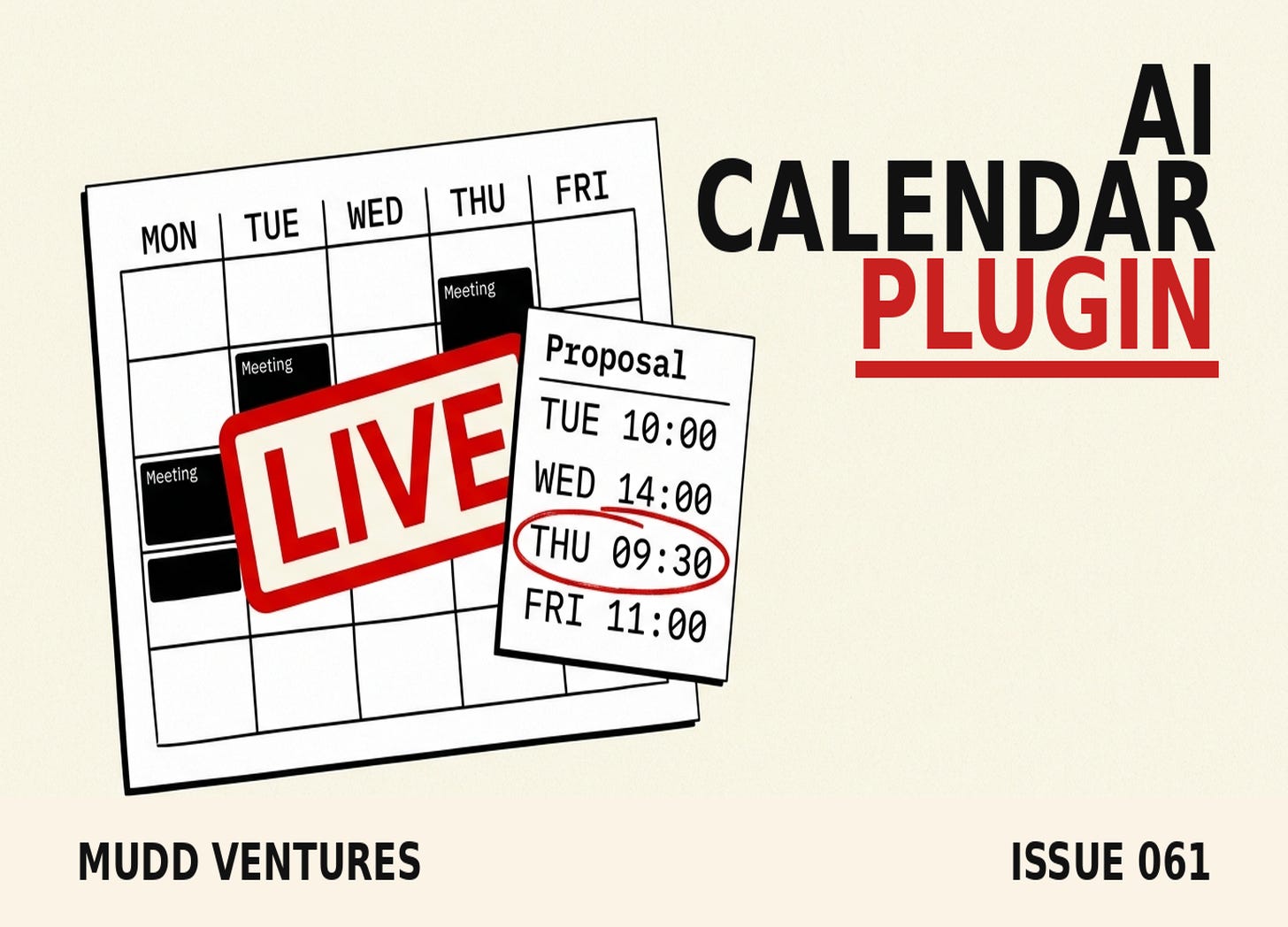
TLDR: Google’s “Help me schedule” in Gmail and the Claude Google Calendar connection both read your live availability and propose meeting times for you, and that whole find-times-and-draft-the-proposal job is safe to hand over end to end this week. The one job to keep human is the confirm, the moment a meeting books onto someone’s calendar. I call that boundary The Book Line. Below is the prompt that hands off the grunt work, the guardrail that holds the line, and the failure modes that show up when operators let the AI cross it.
A consulting client I worked with last year ran a small closing team, and the thing that ate their week wasn’t the calls, it was the back-and-forth to book the calls, the “does Tuesday work, no how about Thursday, mornings are better for me” chain that ran ten messages deep before a single meeting landed on anyone’s calendar.
The number that jumped out when I pulled it apart was the time cost, their setters were spending close to an hour a day just trading times, and none of that hour touched revenue. If you’re running any kind of booked-call motion, an agency, a coaching program, a service business, that hour is the thing to watch, because it’s the first job AI can lift off your plate cleanly and it’s also the first place operators get burned when they hand over one step too many.
By the end of this you’ll have a two-prompt calendar workflow that proposes real meeting times off your live availability without you touching the calendar, plus the one guardrail that keeps the AI from booking something it had no business booking.
Here’s what’s inside:
The find-and-propose job is the clean hand-off, Gemini and Claude both do it now straight off your live calendar.
The Book Line is the point where the AI stops and you confirm, and Google already built that same confirm-point into its own scheduling tool, which tells you something.
The auto-reschedule trap is where operators hand the calendar too much rope and it starts moving committed meetings around under them.
The Sunday brain-dump is a bonus bounded job, plain-language planning turned into a calendar import in one sitting.
Who this is for: operators who book calls or meetings as part of the funnel, running Google Calendar with Gmail, Calendly, Cal.com, or a CRM calendar, and already using ChatGPT, Claude, or Gemini day to day.
This is the calendar cousin of a boundary I wrote about back in June with [Comet Walls](https://blog.muddventures.com/p/comet-will-read-your-whole-inbox), where the move was letting an AI browser read a sensitive stream like your inbox without letting it act. Same idea, pointed at your calendar this time.ZZTEST reallink ZZENDTLDR: Google’s “Help me schedule” in Gmail and the Claude Google Calendar connection both read your live availability and propose meeting times for you, and that whole find-times-and-draft-the-proposal job is safe to hand over end to end this week. The one job to keep human is the confirm, the moment a meeting books onto someone’s calendar. I call that boundary The Book Line. Below is the prompt that hands off the grunt work, the guardrail that holds the line, and the failure modes that show up when operators let the AI cross it.
A consulting client I worked with last year ran a small closing team, and the thing that ate their week wasn’t the calls, it was the back-and-forth to book the calls, the “does Tuesday work, no how about Thursday, mornings are better for me” chain that ran ten messages deep before a single meeting landed on anyone’s calendar.
The number that jumped out when I pulled it apart was the time cost, their setters were spending close to an hour a day just trading times, and none of that hour touched revenue. If you’re running any kind of booked-call motion, an agency, a coaching program, a service business, that hour is the thing to watch, because it’s the first job AI can lift off your plate cleanly and it’s also the first place operators get burned when they hand over one step too many.
By the end of this you’ll have a two-prompt calendar workflow that proposes real meeting times off your live availability without you touching the calendar, plus the one guardrail that keeps the AI from booking something it had no business booking.
Here’s what’s inside:
The find-and-propose job is the clean hand-off, Gemini and Claude both do it now straight off your live calendar.
The Book Line is the point where the AI stops and you confirm, and Google already built that same confirm-point into its own scheduling tool, which tells you something.
The auto-reschedule trap is where operators hand the calendar too much rope and it starts moving committed meetings around under them.
The Sunday brain-dump is a bonus bounded job, plain-language planning turned into a calendar import in one sitting.
Who this is for: operators who book calls or meetings as part of the funnel, running Google Calendar with Gmail, Calendly, Cal.com, or a CRM calendar, and already using ChatGPT, Claude, or Gemini day to day.
This is the calendar cousin of a boundary I wrote about back in June with Comet Walls, where the move was letting an AI browser read a sensitive stream like your inbox without letting it act. Same idea, pointed at your calendar this time.
The one job to hand it end to end: find the times and draft the proposal
The move is to link your AI to your live calendar and let it do the whole find-open-slots-and-write-the-proposal job, because it reads your real free and busy the same way you would, only in two seconds instead of ten minutes of squinting at a week grid.
Two tools do this cleanly right now. Google turned on “Help me schedule” inside Gmail back on October 15, 2025, and it reads your Google Calendar plus the email’s context, then drops a card of open slots into your draft that you can edit before it goes out. The Claude Google Calendar connection goes further, it can read and write your calendar, find open time across your week, and draft the invite, all from a plain-language ask (per Anthropic’s connector page).
Here’s the prompt I’d hand it. This assumes you’ve connected Claude (or ChatGPT with calendar access, or you’re inside Gemini in Gmail) to the calendar that holds your real availability:
You have access to my Google Calendar. I need to propose meeting times to
[NAME / COMPANY] for a [30-minute discovery call].

Rules:
- Pull 4 open slots from my LIVE calendar over the next 7 business days.
- Only weekdays, only between 9am and 4pm my time (America/Los_Angeles).
- Leave a 15-minute buffer before and after anything already booked.
- Skip any slot that collides with an existing event, tentative or confirmed.
- Format the output as a short email I can send, with the 4 times as a
  clean list and my timezone stated once.
- Do NOT create, book, or send anything. Draft only. Stop and show me.
The correct output is a short drafted email with four slots that map to your real open time, in the recipient’s rough ballpark, with your timezone stated once so nobody has to do mental math. Google’s own version color-codes this for you, green slots mean everyone’s free, amber means a conflict and it flags you to pick manually (that’s straight from Google’s Help me schedule docs). When it lands right, it feels like the thing one commenter described after wiring the Claude connection to his calendar, “just ramble and let it rip. Pure calendar magic” (Android Police comments, May 2026).
The failure mode to catch: it proposes a slot you’re already busy in. That means one of two things happened, either the calendar sync is stale, or the model guessed at times instead of reading your live free and busy. If a proposed slot collides with something real on your calendar, don’t fix that one slot and move on, re-connect the calendar and re-run the whole prompt, because a tool that invented one time will invent others.
Walk away with: a four-slot meeting proposal drafted off your real availability in one prompt, ready for you to read and send.
The Book Line: where the AI stops and you confirm
The one job to keep human is the confirm, the moment a meeting turns from a proposal into a commitment on somebody’s calendar. That’s The Book Line. The AI can find the times, draft the proposal, prep the invite, and stack the agenda, and it stops the instant an event would book, because a human owns the commitment.
The reason I trust this boundary is that Google drew the same one inside its own product. Walk through what “Help me schedule” makes you do: Gemini proposes the slots, you click Send, the recipient picks a time, and then the recipient clicks “Book time for all guests” to create the event (Google’s docs spell out that last step). Two humans touch the confirm before anything lands. Google built the most-used AI scheduler on the planet and still put a person on each side of the booking, which tells you the confirm is the part nobody wants a model doing alone.
Here’s the guardrail I paste into any calendar automation so the AI can’t drift past the line:
CALENDAR GUARDRAILS, always apply:
- You may READ my calendar and DRAFT proposals, invites, and agendas.
- You may NOT create, book, confirm, accept, decline, move, or delete any
  event without me telling you to, per event, in that moment.
- Never turn on auto-accept for incoming invites.
- Never reschedule an existing confirmed meeting on your own. If two things
  collide, surface the conflict and wait for me to choose.
- When a task would cross this line, stop and say:
  "Ready to book, confirm and I'll create it."
The correct behavior is boring on purpose, the AI lines up the times, shows you the draft, and waits. That pause is the whole product.
The failure mode here is the expensive one, and it’s why the guardrail exists. The auto-scheduling tools that promise to run your whole calendar are the ones operators complain about the loudest, because the moment you let a model move committed meetings, it moves the wrong ones. Users of one popular auto-scheduler describe it reshuffling their day so hard that “your schedule is no longer your own” (Motion vs Reclaim breakdown, 2026). The first complaint I hear about the aggressive auto-schedulers is always that same one, a client call got quietly bumped to make room for a focus block the AI decided was more important. If your calendar starts moving things you committed to other people, the AI crossed The Book Line, and the fix is to pull it back to draft-only and hold the confirm yourself.
Walk away with: a pasteable guardrail that lets AI do the calendar grunt work while you keep the one power that matters, the confirm.
The bonus job: the Sunday brain-dump
There’s a second bounded job worth handing over, and it’s the one that turns a messy list of “things I need to do this week” into a week you can see at a glance. An Android Police writer laid out the workflow cleanly, she opens Gemini on Sunday, dumps every meeting, deadline, errand, and workout in plain language, and has it build the week, then imports it in one shot (her full walkthrough is here).
Her own caveat is the part that matters, “I still double-check everything before importing it,” and she’s blunt that the workflow “still needs occasional cleanup, and it’s definitely not perfect.” That’s the right posture, hand it the drafting, keep the review.
Here’s the prompt, adapted so it lands as a clean import:
Turn this into a CSV I can import into Google Calendar. Columns: Subject,
Start Date, Start Time, End Time. Use MM/DD/YYYY and 12-hour times.

My week of [DATE RANGE]:
[dump it all in plain language: meetings, deadlines, errands, workouts,
deep-work blocks, with rough times and durations]

Rules: don't invent times I didn't give you. If a duration is missing,
default deep work to 90 min and errands to 30 min, and flag anything you
guessed at the bottom so I can check it before I import.
You review the flagged guesses, import the CSV through Google Calendar’s Import and export settings, and the whole week populates at once instead of you hand-entering twenty events. It’s a bounded job, it runs off information you already have, and you can eyeball whether it’s right in a few seconds, which is the test for anything you hand an in-app AI.
Walk away with: a Sunday planning ritual that builds your week from a brain-dump and lands it on the calendar in one import.
Where this breaks
A few failure modes to watch, because they’re the difference between this saving an hour a day and creating a mess you clean up on Monday.
Stale calendar access is the quiet one. If you connected the AI weeks ago and haven’t used it, the free-and-busy it reads can lag reality, so run a throwaway “what’s on my calendar tomorrow” check before you trust a proposal, and if it’s wrong, reconnect.
Timezone drift bites anyone booking across regions. State your timezone once in the prompt and once in the drafted email, and spot-check the first cross-region proposal by hand, because a model that’s an hour off will cheerfully propose 6am calls.
Over-handing is the big one. The pull toward “let it just run my whole calendar” is strong, and it’s the exact move that gets meetings reshuffled out from under you. Keep the AI on find-and-draft, keep yourself on confirm, and the tool stays useful instead of stressful.
And not every model reads a calendar the same way. ChatGPT’s Google Calendar connection is read-only today, it can see your calendar and reason about it, but it can’t create or move events (per usecarly’s rundown). Claude can write. Gemini in Gmail proposes but leaves the send to you. Know which one you’re holding before you build a workflow on top of it.
The honest tradeoffs
This is useful and it’s uneven, both true at the same time, and pretending otherwise would be selling you something.
The results vary more than any vendor admits. In the same comment thread, one reader said building his week this way “genuinely feels like magic,” and another said he tried the same thing and “I can’t even describe what a disaster it was, just straight up not listening to instructions” (Android Police comments). Same feature, opposite weeks. Your mileage is going to depend on how clean your calendar already is and how tightly you write the prompt.
Google’s tool is capped, “Help me schedule” tops out at 20 guests and it’s built around one-to-a-few scheduling, so a big multi-party coordination still isn’t a one-click job. The auto-schedulers that promise more control over your whole day carry the reshuffle risk I already flagged, and one of them (Reclaim) is sitting on a 2.7 Trustpilot rating with billing complaints, so the “set it and forget it” pitch has a cost. And connecting any AI to your calendar hands it read access to your entire schedule, every client name, every private block, so treat that connection the way you’d treat handing someone your calendar login, because functionally that’s what it is.
None of that kills the workflow. It just means you keep your hand on The Book Line and let the AI earn trust on the grunt work first.
Recap
Hand the AI the find-times-and-draft-the-proposal job end to end, it reads your live calendar and does it in seconds. Hold The Book Line, the confirm stays human, no auto-accept, no auto-reschedule of committed meetings. Add the Sunday brain-dump as a second bounded job if weekly planning is where you slip. And when a proposal looks wrong, reconnect and re-run instead of patching one slot, because a tool that invented one time will invent more.
When I map a client’s booking flow, the calendar is the first place I look, because it’s usually leaking an hour a day that AI can hand back without any risk, as long as the confirm stays with a person. If you want a second set of eyes on where your funnel is quietly burning operator time and which pieces are safe to hand off, that’s the kind of thing we work through on an AI Clarity Call.
Next issue, Monday: the one CRM job I’d let AI run every morning, and the field I’d never let it write to on its own.
Reply with the tool you’re using to book calls right now if you want me to sanity-check whether it can read your live availability.
Andrew
P.S. A few places to take this further:
The inbound version of this same boundary, letting an AI read your inbox without acting on it: Comet Walls.
The brief that stops you re-explaining your business to every AI tool, calendar prompts included: the 5,000-character ChatGPT brief.
Want the calendar-and-workflow skill files and the operators building this stuff alongside you? That lives in the Abra AI community.